pgtc — Postgres terminal commander
A PostgreSQL administration and query tool for the terminal — locally or over SSH, on Linux, Windows and macOS. Midnight Commander's look and keys, pgAdmin's functions.
Chapters
Object treeThe cluster's objects, read lazily from the system catalogs; find by name.
DefinitionsDDL of the selected object, reconstructed from the catalogs.
Query tabsOne session per tab: streamed result sets, messages, cancel, transaction control, PL/pgSQL mode.
EditorHighlighting, find / replace, undo, autocomplete from the catalogs.
Files and exportSQL files; result sets to CSV, JSON or XML.
psql-style commands
dt, d table, df…, and generators of DML, triggers and views for a table.
Developer templatesA form per template; the rendered DDL goes to the cursor.
Template editorParameters, Jinja helpers, live preview, test.
AI assistantSQL written by a model that is given the schema, never the data. Nothing is executed.
Schema syncExport a schema to a .pgdef file; generate the DDL that brings another database to it.
DashboardActivity, blocking, progress views, locks; cancel or terminate backends.
SQL profilerEvery statement the cluster executes, from the server log.
Database statisticspg_stat_database for one database.
SettingsOptions, colour schemes, keymap.
Using this help
- First steps: Getting started, then The window, menus and keys.
- Every key, menu item and file: Reference. Problems: Troubleshooting.
- Keys named here are the defaults. F1 in pgtc shows the keys that work at the moment, with your own
keymap.tomlbindings. - Esc 5 means the keys pressed one after the other.
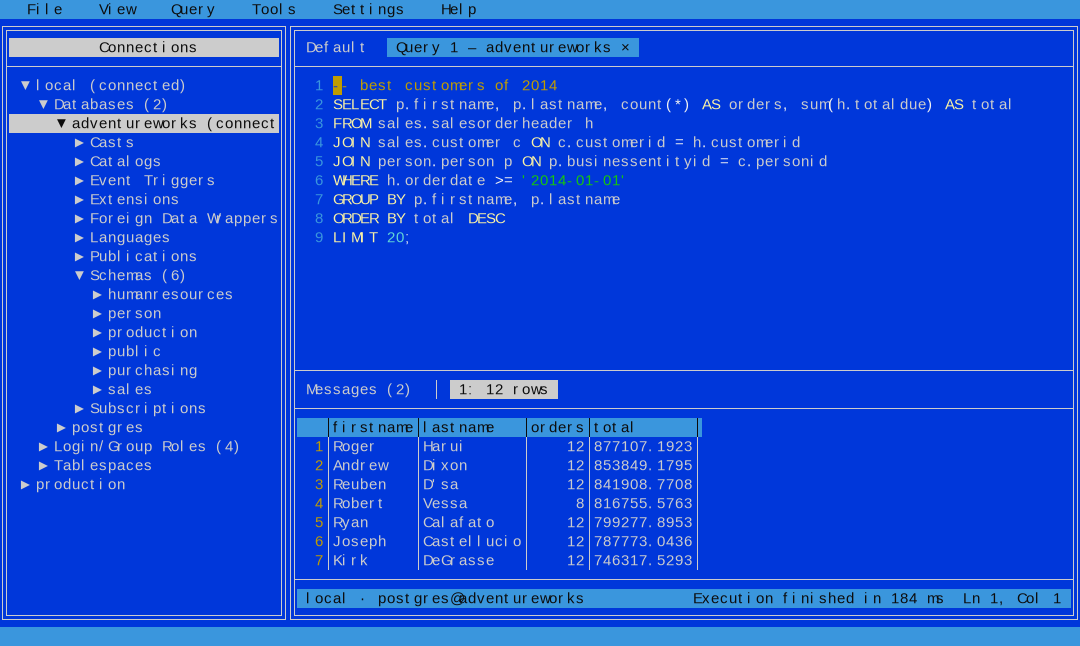
- Examples and screenshots use the PostgreSQL port of AdventureWorks (database
adventureworks, schemashumanresources,person,production,purchasing,sales) on a saved server local; colour scheme Classic, 120 × 34 cells.
Supported servers and terminals
- PostgreSQL 11 and newer; an older server is refused (
server_version_num). Verified up to 18; a newer major version connects with the warning “PostgreSQL N – not yet verified with pgtc” and uses the catalog queries of the newest known version. - Any terminal with 16 colours, also over SSH; no special font. The mouse is optional.