Getting started
Download or build, set up, connect, run a statement.
1. Download a release
Prebuilt binaries on the Releases page, with a
SHA256SUMS file: Windows x64, Linux x64 / ARM64 (static musl, no glibc dependency), macOS Apple
Silicon / Intel. A single file, no installer, no libpq: unpack and run pgtc.
The binaries are not signed. Windows SmartScreen asks once (More info → Run anyway); on macOS remove the
quarantine flag first: xattr -d com.apple.quarantine pgtc.
For a remote server, run pgtc on that server over SSH: it connects locally and only the terminal output crosses the network.
2. Or build from source
Needs Rust (the toolchain is pinned in rust-toolchain.toml); no
C compiler, no libpq.
git clone https://github.com/pokrad/pgtc.git
cd pgtc
cargo build --release          # target/release/pgtc, a single file
cargo install --path crates/pgtc   # or: into ~/.cargo/bin
3. Setup
pgtc --setupCopies the built-in developer templates into your user folder (also ). Only F7 needs it.
4. Save a connection
(F9 opens the menu), then from F2 on the server row.
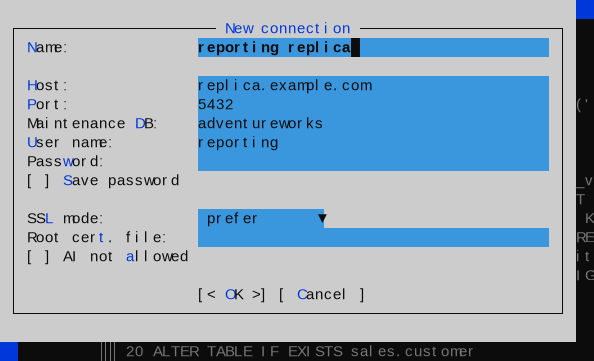
- Maintenance DB —
dbnameof the server session, which reads the cluster-wide catalogs (pg_database,pg_roles,pg_tablespace). - Save password — writes the password to
.pgpassafter the first successful authentication.
Details: Connections.
Or from the command line
pgtc -h localhost -U postgres adventureworkspsql's connection options. The connection is saved (unless an identical one exists) and connected at once; see Command line.
5. Browse
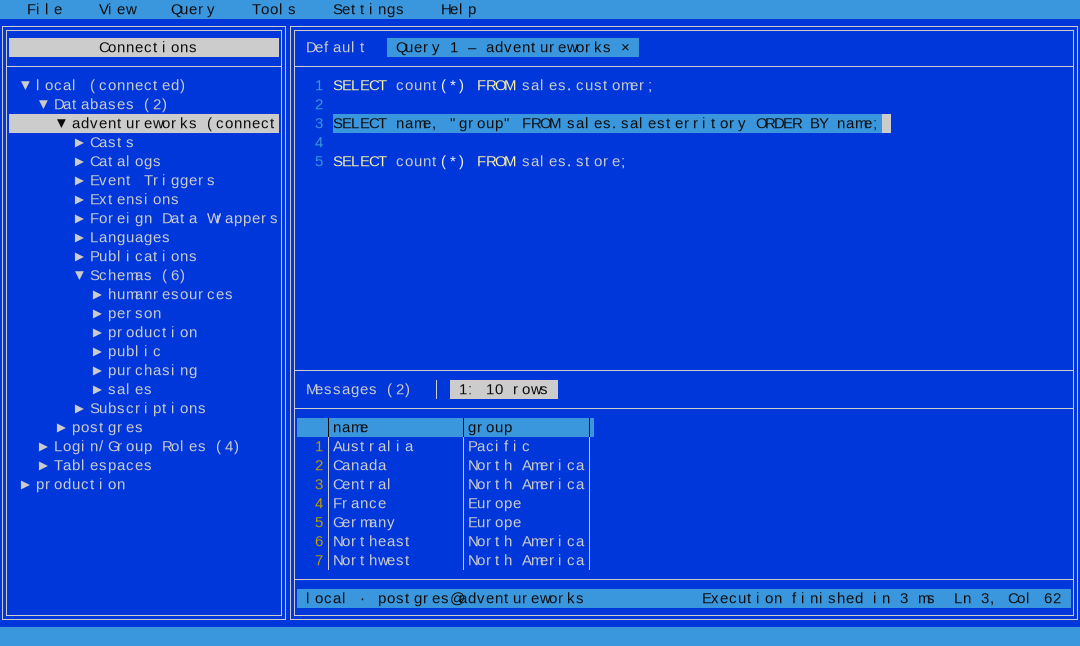
- Right / Left expand and collapse a tree row. The Default tab shows the DDL of the row under the cursor.
- F6 switches between the tree and the right side.
- F1 lists the keys that work where the focus is.
6. Run a query
- Ctrl+N on a database, or anything inside it, opens a query tab with its own session on that database.
- F5 executes the selection, or the whole text when nothing is selected.
- Alt+Down / Alt+Up move between the editor and the result grid.
- Ctrl+B on a table in the tree opens a tab with
SELECT * FROM … LIMIT 100;and runs it.
7. Close and quit
Ctrl+W closes the tab, F10 quits. Both ask about unsaved text and open transactions.
Next
No F-keys (some SSH clients, macOS): Esc then a digit — Esc 5 is F5, Esc 0 is F10.